At the quest giver
For WoW Forever addons focused on questing, start with QuestAutoAccept. Add QuestAutoTurnIn later: a quest with a reward choice still waits for your selection.
WOW FOREVER ADDONS · FOREVERPLUS
This guide takes you from the current file to a first profile you can revisit. See the real settings screens, choose a few helpful options, and leave the rest for later.
Download ForeverPlus on CurseForge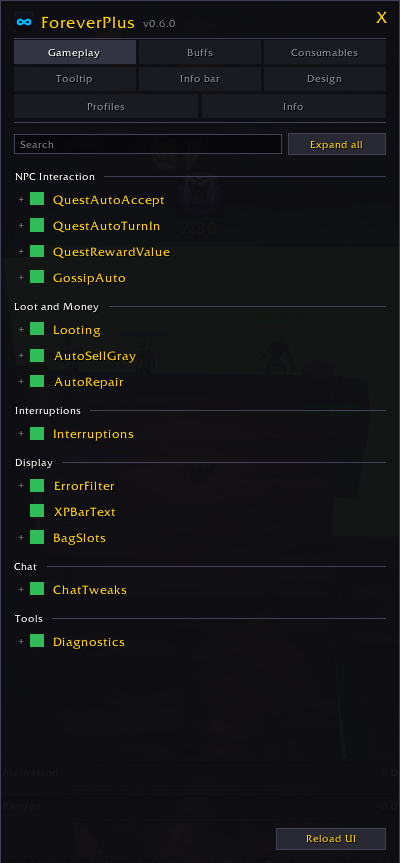
A PRACTICAL STARTING POINT
Picture a typical questing session: a quest giver, a turn-in, a vendor, then back into the world. This WoW Forever addons setup removes repeated clicks while keeping reward and purchase decisions visible. It is a setup example, not a measured speed claim.
For WoW Forever addons focused on questing, start with QuestAutoAccept. Add QuestAutoTurnIn later: a quest with a reward choice still waits for your selection.
ForeverPlus can sell gray items and repair gear at a vendor. Hold Shift while interacting when you want its automation to stand aside.
Try the info bar for coordinates and durability, then add reminders for class buffs you often notice too late.
REAL ADDON SCREENSHOTS
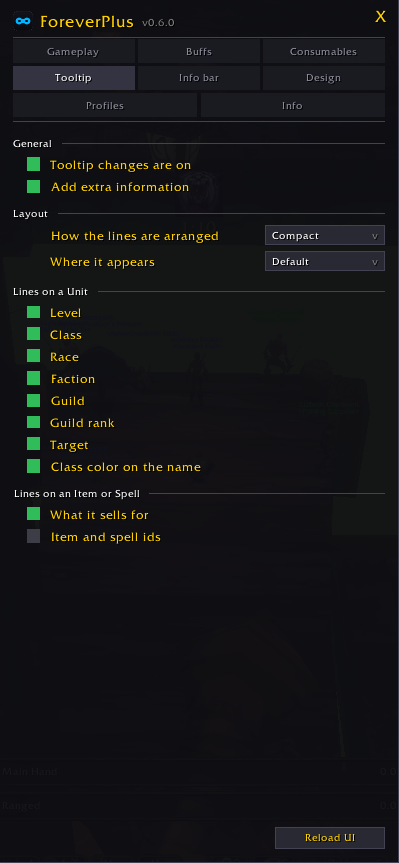
The WoW Forever addons gameplay screen groups modules by task. Buff and tooltip screens let you tune visibility and layout without changing every other feature.
Screenshots: ForeverPlus on CurseForge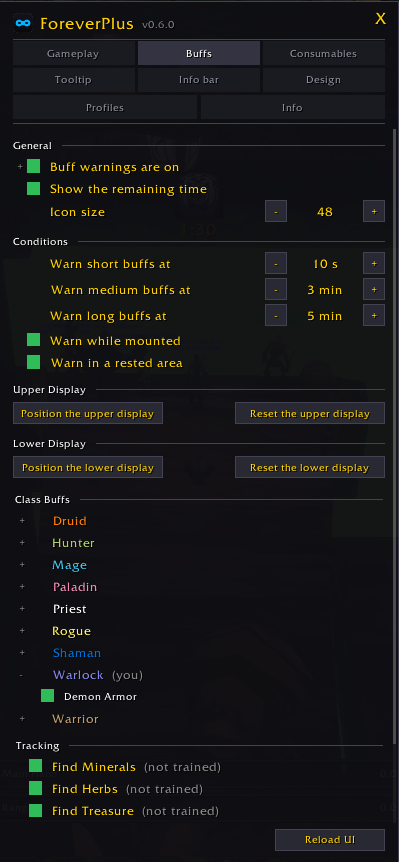
GET STARTED
For WoW Forever addons, check the Forever flavor and current game version on CurseForge. Install its current file and enable ForeverPlus in game.
After installing ForeverPlus, type /fplus. Search for one module, expand it, and read its option descriptions before enabling more automation.
Once your WoW Forever addons setup feels right, save a named profile. Characters can share it while choosing different active profiles.
CHOOSE BY TASK
You do not need every module in your WoW Forever addons setup. Begin with the task that interrupts you most often, then add one category at a time.
In this WoW Forever addons category, optionally accept quests, turn in completed tasks, sell gray items and repair gear. Reward choices stay yours; Shift temporarily pauses automation.
For WoW Forever addons that help you notice changes, use missing or expiring buff reminders. The movable info bar shows five figures: gold, durability, coordinates, latency and frame rate.
This WoW Forever addons setup offers three unit tooltip layouts: Compact, One per line and Blizzlike. You can also configure chat labels, timestamps and search.
“Every feature is a module you can switch off on its own”
GOOD TO KNOW
This WoW Forever addons guide is independent. CurseForge lists ForeverPlus for the Forever flavor; check its listing for the current file and compatibility details.
With WoW Forever addons like ForeverPlus, quest turn-in leaves reward choices to you. Selling gray items is optional, and holding Shift pauses automatic modules.
Yes. WoW Forever addons profiles in ForeverPlus are shared between characters, while each character remembers its active profile. Profiles can be exported and imported.
Explore the current ForeverPlus release and its full feature list on CurseForge before adding it to your WoW Forever addons setup.