
Warlock · Level 60
Shadow Warlock
A proposal exploring instant Corruption, shadow damage and pets. Its allocation is checked for compatibility; performance remains untested.
Affliction9
Demonology31
Destruction11
PLAN TODAY. PLAY FOREVER.
Use the WoW Forever Talent calculator to allocate points across three class trees and inspect every rank.
“Same world. Deeper understanding. Brighter tomorrow.”
next row at 5
next row at 5
next row at 5

Level 60 · Points spent 0 / 51
 Arms0
 Fury0
 Protection0
This link opens the class, level, and exact points shown here.
Talent data build 1.60.1.70630 · Snapshot 2026-10-27 · Data reviewed 2026-10-28
Two ideas from Reddit discussions. Original authors and allocation snapshots are linked below; these are proposals, not performance rankings.
A proposal exploring instant Corruption, shadow damage and pets. Its allocation is checked for compatibility; performance remains untested.

A historical Fire and Frost proposal for Frostfire Bolt. Read the original snapshot and discussion before adapting it.
Some proposals use an older talent tree. Their original allocations remain available as historical references.
Use the planner to choose, allocate and save.
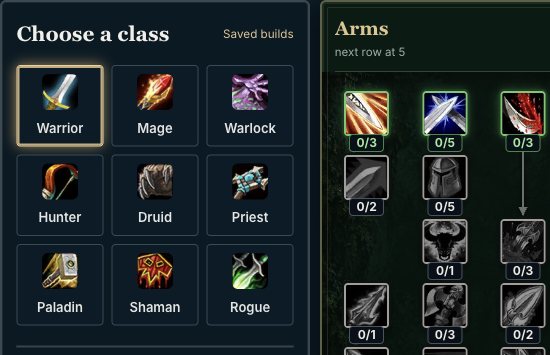
Your level sets the available point budget.
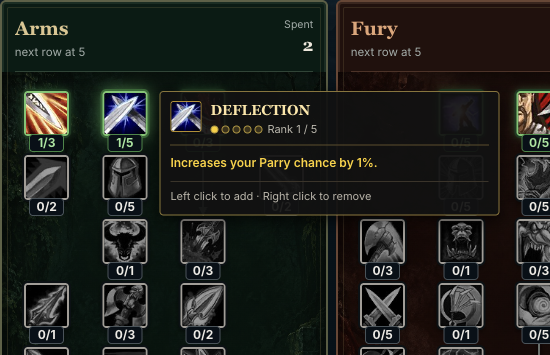
The calculator checks rows, ranks and prerequisites.
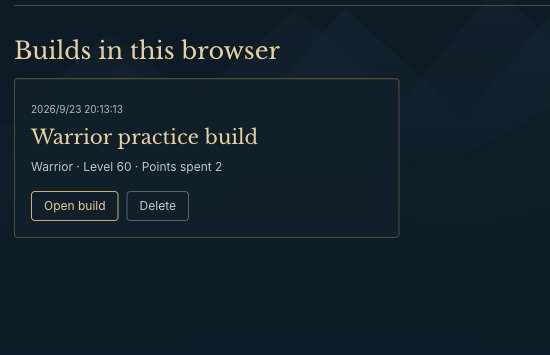
Save the allocation or copy its share link.
Choose a class to read its guide and plan an allocation.
WarriorArms · Fury · ProtectionMageArcane · Fire · FrostWarlockAffliction · Demonology · Destruction HunterBeast Mastery · Marksmanship · Survival
 DruidBalance · Feral Combat · Restoration
 PriestDiscipline · Holy · Shadow
 PaladinHoly · Protection · Retribution
 ShamanElemental · Enhancement · Restoration
 RogueAssassination · Combat · Subtlety
What to expect from the calculator, saved builds and beta data.
The calculator checks your level, points in earlier rows and prerequisite ranks. Select a talent to read its requirements.
You have 51 points across three trees at level 60. Change your level to adjust the budget.
Yes. Name each allocation and reopen it from Saved builds.
Account saves work across devices; signed-out saves stay in this browser. Current, versioned browser builds can be moved to your account manually. Older or unknown snapshots remain preserved locally.
Yes. A share link includes class, level and every selected talent. Recipients need no account. A link made with incompatible talents will not load as a current allocation.
No. The planner uses a dated Talents Forever beta snapshot. Check its date and source; current game values take precedence.

Choose an allocation, then return to compare and refine it.